Creating a responsive mobile application is not merely an option but a vital necessity. With an overwhelming variety of devices featuring countless screen sizes, orientations, and pixel densities—from compact smartphones to larger tablets—your app must effortlessly adapt to ensure a top-notch user experience. Flutter, Google’s powerful UI toolkit, equips developers with the essential tools to build stunningly responsive apps that engage users across all platforms.
Embrace this opportunity to elevate your application’s functionality and appeal, standing out in a competitive market while providing users with a smooth and enjoyable experience, no matter the device they choose. The following write-up will walk you through the principles and techniques for ensuring your Flutter app looks great and functions smoothly across all devices.
Why is Responsive Design Important for Your Flutter App?
Responsive design is a fundamental part of any modern mobile app. It ensures that the app adjusts to the user’s device, whether using a phone, tablet, or desktop. The goal is to provide a seamless and consistent experience, regardless of screen size, resolution, or orientation.
Without responsiveness, users may experience distorted layouts, text too small to read, or content that gets cut off. Such problems can significantly impact user satisfaction and engagement, leading to negative reviews or users abandoning your app. A responsive design guarantees that your app adapts intelligently, offering a pleasant experience on any device, leading to higher user retention and app performance. Furthermore, a responsive app is also more future-proof, as it will remain compatible with new devices and screen sizes that may be released.
Responsive vs Adaptive Design: What’s the Difference?
Understanding the distinction between responsive and adaptive design is technical and crucial in app development, as each approach has strengths.
- Responsive Design: This method makes the app’s layout and elements adjust fluidly according to the screen’s size and orientation. The layout resizes dynamically using fluid grids and relative units. The goal is to ensure the app looks good on any screen size, whether a smartphone or tablet.
- Adaptive Design: Unlike responsive design, adaptive design targets specific devices or screen sizes and uses predefined layouts that are adjusted according to those conditions. This approach may involve creating distinct layouts for different screen categories (e.g., phones, tablets, or desktops).
In Flutter, responsive design is generally favored due to its flexibility and ease of implementation. By focusing on fluid layouts that adapt to the screen size, you can ensure your app delivers a consistent user experience across all devices without creating device-specific layouts.
Best Practices For Creating A Responsive Flutter App
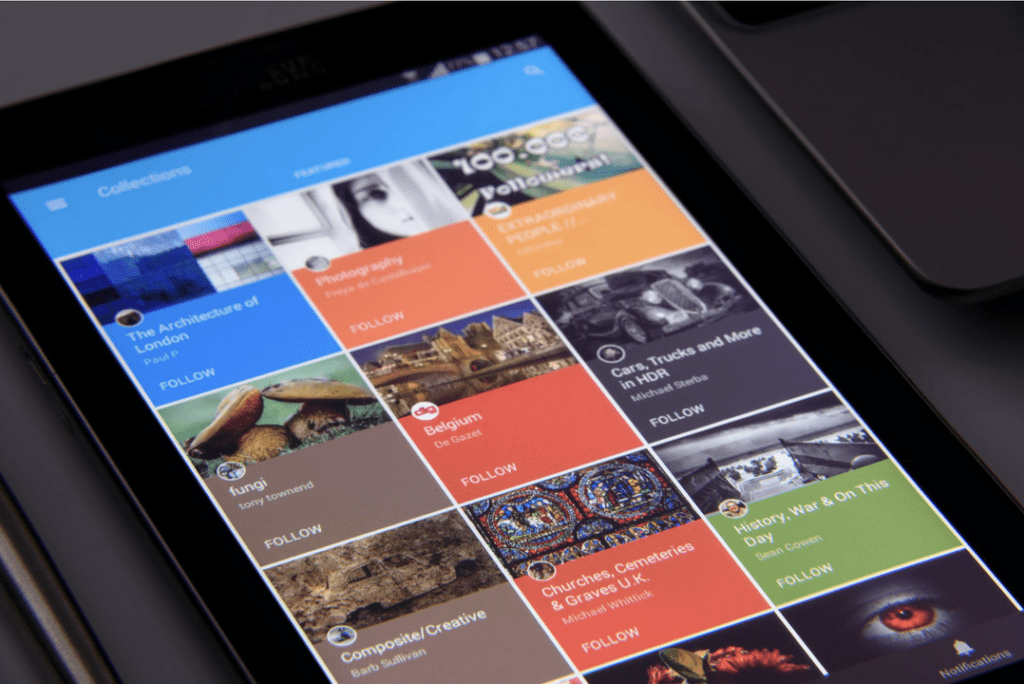
Flutter provides many tools and widgets that make designing a responsive app easier. Below are some best practices for ensuring your Flutter app works well on various devices.
1. Media Query
One of the most fundamental tools for creating responsive layouts in Flutter is MediaQuery. This tool provides information about the device’s screen size, orientation, pixel density, and other essential characteristics. This data lets you decide how to structure your layout depending on the available screen space.
For example, you can use MediaQuery to determine the screen width and height and, based on that, decide whether to display a compact or expansive layout. Additionally, MediaQuery can help you adjust text sizes according to the user’s accessibility preferences, ensuring that your app remains readable for everyone.
2. Layout Builder
The LayoutBuilder widget is handy when designing a layout that depends on the size of the parent widget. It helps you adjust the layout based on the constraints the parent widget provides, ensuring that your app looks excellent regardless of the device’s screen size.
With LayoutBuilder, you can create more flexible layouts that adjust according to the available space. For instance, if you create a grid layout, you can determine how many columns to display based on the screen’s width, making it easy to optimize the design for both small and large screens.
3. Flexible Widgets
Flexible widgets are crucial for building responsive layouts. These widgets allow you to define how much space an element should take up in a row or column. The layout adjusts accordingly, depending on the available space.
Flexible widgets are ideal for building dynamic interfaces. In a horizontal layout, for example, depending on the screen size, one widget can take up more space than others. Using flexible widgets ensures your app remains adaptive and doesn’t break when the user switches to a different device.
4. Responsive Widgets
Flutter provides a variety of responsive widgets that automatically adjust their layout to fit different screen sizes, simplifying the creation of adaptive layouts. Widgets like FractionallySizedBox and Expanded resize UI components to fill the available space proportionally. This ensures a visually appealing and consistent user experience across smartphones, tablets, and desktops, enhancing accessibility and usability.
5. Fractionally Sized Box Widgets
The FractionallySizedBox widget is a valuable tool for creating UI elements that occupy a specific fraction of the available screen space. It ensures your components consistently adapt to different screen sizes while maintaining proportionality. For example, a button can always take up 80% of the screen width, regardless of the device.
This widget helps maintain a cohesive layout by allowing elements to resize intelligently based on screen dimensions. It enhances the overall user experience and enables a responsive design that looks great on any device.
6. Avoid Fixed Sizes At All Costs
One of the most critical practices for creating a responsive Flutter app is to avoid fixed sizes for UI elements. Fixed sizes can lead to layout issues on different devices, as they do not adjust based on the available screen space. Instead, use relative units, percentages, or flexible layouts that scale according to the screen size.
For example, if you set a fixed width for a container, it might look great on one device but become too wide or too narrow on another. By avoiding fixed sizes and using flexible layouts, you ensure your app remains usable on various screen sizes and orientations.
Final Thoughts
A responsive Flutter app is essential for delivering a smooth and engaging user experience across all devices. Flutter offers various tools, such as MediaQuery, LayoutBuilder, Flexible widgets, and responsive widgets, that make it easier to create layouts that adapt to different screen sizes and resolutions. By following best practices like avoiding fixed sizes and using flexible, dynamic layouts, you can ensure your app looks great and functions smoothly, regardless of the device it’s being used on.
With responsive design, your Flutter app will be able to handle the growing diversity of mobile devices and provide users with a consistent experience. By focusing on flexibility and scalability, you future-proof your app and ensure its longevity in an ever-evolving tech landscape. This reiteration of the importance of responsive design should reassure you about your design choices.