A strong website is one of the most important tools for business growth today. This WordPress development guide for businesses will help you understand how WordPress supports branding, lead generation, sales, and long-term growth. If you want to launch or improve your business website, visit this link to start your project here. WordPress gives companies a flexible and cost-friendly way to build websites that are easy to manage and ready to scale.
Many business owners want a website that looks professional, ranks well, loads fast, and grows with their needs. That is where WordPress stands out. It supports service websites, corporate sites, online stores, and content-driven platforms. In this guide, you will learn the real benefits of WordPress for business, the expected WordPress development cost for businesses, key design and SEO tips, useful plugins, and how to choose the right development approach for long-term success.

WordPress development for businesses showing website growth and branding
Business website dashboard with analytics and content management features
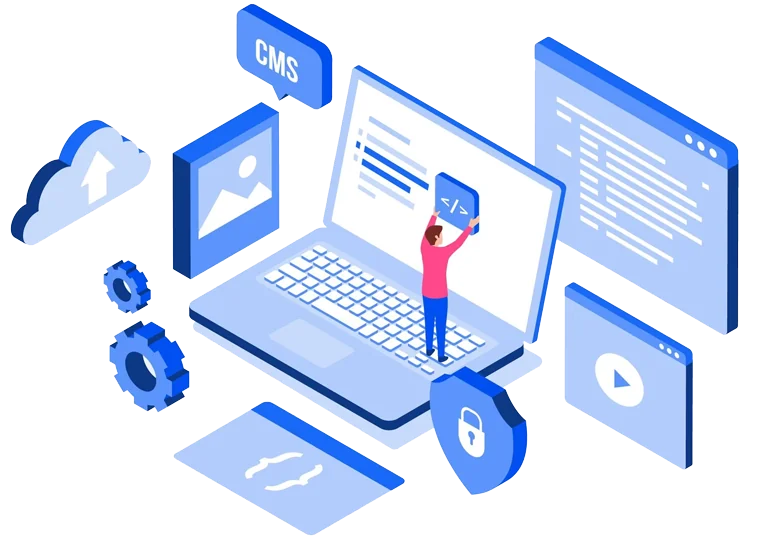
Illustration of how WordPress supports business growth and online presence
Why WordPress Matters for Modern Businesses
WordPress powers a large share of websites on the internet for a reason. It is flexible, reliable, and suitable for many industries. From startups to large companies, businesses use WordPress to build a strong online presence.
For business owners, WordPress offers a smart balance of cost, control, and scalability. You do not need to start with a complex system. You can launch with the essentials and expand later as your business grows.
Why business owners prefer WordPress
- Easy content management
- Strong design flexibility
- Large plugin ecosystem
- SEO-friendly setup
- Good support for eCommerce
- Easy integration with tools and CRMs
If you want to learn from this real client example, explore this business case study of leskoy.
What Is WordPress Website Development for Business?
What is WordPress website development for business?
WordPress website development for business is the process of creating a professional website on WordPress to support marketing, lead generation, customer trust, and online sales.
This can include:
- custom design
- service pages
- blog setup
- contact forms
- booking systems
- eCommerce features
- SEO setup
- analytics integration
A business website should do more than just look good. It should help users take action. That may mean filling out a form, making a purchase, booking a call, or learning about your services.
This is why WordPress website development for business should be based on real goals, not only visual design.
WordPress Development Guide for Businesses: Core Benefits
The biggest reason companies choose WordPress is business value. It helps reduce development friction while giving room for future growth.
Benefits of WordPress for business include:
- lower setup cost than many custom platforms
- easier website updates
- strong content publishing tools
- flexible design options
- wide plugin support
- better SEO opportunities
- support for business growth
- easier third-party integrations
Feature and Business Benefit Table
| Feature | Business Benefit |
| SEO-friendly structure | Helps improve search visibility |
| Mobile responsive design | Improves user experience on all devices |
| Plugin support | Adds features without building from scratch |
| Custom integrations | Connects your website with business tools |
| Scalable hosting setup | Supports traffic growth and expansion |
Business value in simple terms
A WordPress website can help your business:
- attract more traffic
- improve trust
- capture more leads
- support online sales
- reduce long-term website management effort
If you want to see how we delivered results in this project, review this case study of tibor.
How to Build a Business Website on WordPress
Many owners ask about how to build a business website on WordPress. The process is not only about choosing a theme. It starts with business goals and user needs.

WordPress website development process from planning to launch
Step-by-step guide showing design, development, and testing stages
Infographic of how to build a business website on WordPress
Step 1: Define your business goals
Before development starts, be clear about what the site should do.
Examples:
- generate leads
- sell products
- support customer service
- build brand authority
- collect bookings or inquiries
Step 2: Plan the right pages
Most business websites need:
- Home
- About
- Services
- Contact
- Blog
- Case Studies
- FAQ
- Landing Pages
Step 3: Choose the right theme or custom build
Some businesses can start with a quality theme. Others need custom WordPress development services for unique needs, better performance, or stronger branding.
Step 4: Add business tools
Your site may need:
- CRM integration
- form tools
- analytics
- chat support
- SEO plugins
- eCommerce setup
Step 5: Test before launch
Always test:
- mobile view
- speed
- forms
- navigation
- SEO basics
- security settings
WordPress Website Design Tips for Better Conversions
Good design is not just about color and layout. It should help people trust your brand and take action. Strong WordPress website design tips always focus on clarity, speed, and conversion.
Keep the design clean
A simple design works best for most businesses. Avoid too many colors, pop-ups, or moving elements.
Make calls to action visible
Each key page should guide users clearly. Use buttons like:
- Get a Quote
- Book a Call
- Contact Us
- Start Your Project
Focus on mobile users
A large share of business traffic comes from phones. Your site should be easy to use on small screens.
Use trust signals
Add:
- testimonials
- client logos
- case studies
- awards
- reviews
- secure payment badges if relevant
To explore this business transformation case study, visit agility.
Best WordPress Plugins for Business Websites
Plugins help extend your site without building every feature from scratch. The best WordPress plugins for business websites support growth, speed, marketing, and security.

WordPress plugins for business websites including SEO and security tools
Infographic showing key features like analytics, forms, and eCommerce
Visual guide to essential plugins for WordPress business growth
Common plugin categories for business use
- SEO plugins
- security plugins
- caching plugins
- backup tools
- form builders
- analytics tools
- page builders
- eCommerce plugins
Choose plugins carefully
Too many plugins can slow down your site or create conflicts. Focus on quality, updates, and real business need.
Good plugin selection principles
- use trusted providers
- avoid duplicate plugin functions
- remove unused plugins
- update regularly
- test before major changes
What are WordPress plugins for business websites?
WordPress plugins for business websites are tools that add specific features such as SEO, forms, security, backups, analytics, and eCommerce without requiring full custom development.
For businesses using AI-driven support or automation tools, external platforms like OpenAI and arena.ai may also support smarter digital experiences when integrated into broader workflows.
WordPress SEO Optimization Guide for Business Owners
SEO is a major reason many companies choose WordPress. A smart WordPress SEO optimization guide starts with structure, content, and technical basics.
Core SEO actions for business websites
- use clear page titles
- write strong meta descriptions
- add keyword-focused headings
- create useful page content
- optimize images
- improve internal linking
- make URLs simple
- submit your sitemap
On-page SEO basics
Each page should target one clear topic. Do not overload pages with too many keywords. Focus on user value first.
Content matters for SEO
A business blog can support:
- search traffic
- brand trust
- industry authority
- lead generation
Internal linking helps users and SEO
Link to useful service pages, case studies, and related content. For example, you can review this eCommerce success story of shopnation.
WordPress Performance Optimization for Speed and Growth
Slow websites lose traffic and sales. WordPress performance optimization is important for both user experience and SEO.
Why speed matters
A fast website helps:
- reduce bounce rate
- improve conversions
- improve search visibility
- support mobile users
- handle more traffic
Key speed improvements
- use quality hosting
- compress images
- enable caching
- reduce heavy scripts
- limit unnecessary plugins
- use a CDN if needed
- optimize code and database
Performance tips for growing businesses
As traffic grows, your website needs stronger infrastructure. This is where scalable WordPress solutions for businesses become important. They help support more users, more content, and more features without slowing the site down.
Businesses that want advanced content, automation, or intelligent workflows may also look at platforms like OpenAI or arena.ai as part of broader digital growth plans.
WordPress Development Cost for Businesses
One of the most common questions from business owners is about budget. The WordPress development cost for businesses depends on design needs, number of pages, integrations, custom features, and long-term support.
A simple website will cost less than a large custom platform. eCommerce, custom dashboards, multilingual support, or API connections can raise the cost.
WordPress Development Cost for Businesses
| Project Type | Estimated Cost | Best For |
| Basic business website | $3,000 – $8,000 | Small businesses and startups |
| Custom corporate website | $8,000 – $20,000 | Growing brands with unique needs |
| eCommerce WordPress store | $10,000 – $30,000 | Businesses selling products online |
| Enterprise WordPress platform | $25,000+ | Large businesses with complex requirements |
What affects pricing
- custom design needs
- number of pages
- plugin and tool setup
- third-party integrations
- content migration
- SEO setup
- hosting and maintenance
- custom feature development
The right budget should focus on long-term value, not just launch cost.
When to Choose Custom WordPress Development Services
Not every business should use a ready-made setup. Sometimes, custom WordPress development services are the better option.
Choose custom development when you need:
- a unique brand experience
- custom workflows
- advanced integrations
- special user roles
- high performance requirements
- stronger security controls
- long-term scalability
Custom vs standard approach
A theme-based website may work well for simple needs. But if your business relies on specific operations, custom development can save time and reduce limits later.
Custom work is often better for companies that want more than a brochure website. It supports better flexibility and cleaner long-term growth.
Scalable WordPress Solutions for Businesses
Growth changes website needs. More traffic, more pages, more users, and more tools can put pressure on a site. That is why scalable WordPress solutions for businesses matter.
What makes a WordPress site scalable?
- strong hosting setup
- clean code
- smart plugin use
- database optimization
- CDN support
- modular architecture
- regular monitoring
Signs your business needs a scalable setup
- traffic is increasing quickly
- you plan to add new markets
- you need more integrations
- your content library is growing
- your website is getting slower
- you want to launch new digital services
A scalable setup helps avoid future rebuilds. It supports business growth with less disruption.
Common Mistakes Business Owners Should Avoid
A business website can fail even on WordPress if the strategy is weak. Many issues happen because of rushed planning or poor maintenance.

Common WordPress website mistakes business owners should avoid
Illustration showing design, SEO, mobile, security, and plugin errors
Visual guide for better website strategy and maintenance practices
Common mistakes
- choosing design over function
- using too many plugins
- ignoring mobile experience
- skipping SEO basics
- not planning content
- poor hosting choice
- weak security practices
- no maintenance plan
Smart way to avoid these mistakes
- start with goals
- work with an experienced team
- build for users first
- track performance
- plan for future updates
A website should be treated like a business asset. It needs planning, support, and regular improvement.
Start Your WordPress Development Project
A strong WordPress website can help your business attract leads, improve trust, and support long-term growth. Whether you need a service website, custom business platform, or scalable digital solution, the right team can help you build with confidence. If you want to start your project contact us.
Conclusion:
This WordPress development guide for businesses shows why WordPress remains one of the best choices for modern companies. It offers flexibility, better content control, strong SEO potential, and room to grow. From planning and design to SEO, plugins, speed, and scaling, WordPress can support real business goals when built the right way. If you want to start your project, contact us here.