Headless WordPress is changing the way businesses build websites. In today’s digital world, speed, flexibility, and a great user experience are everything. Traditional websites often struggle to keep up. That is where Headless WordPress comes in. It gives your business a smarter, faster, and more modern way to manage content and deliver it across any platform. Whether you run an eCommerce store, a mobile app, or a corporate website, Headless WordPress can help you grow. It separates your content management from your website’s front end. This means your team can manage content in one place and show it anywhere on a website, mobile app, or even a smartwatch. In this guide, you will learn everything you need to know, step by step, in simple words. No technical background needed. If you are ready to build something powerful, start your project here, and our team will help you get started.
Why Headless WordPress Matters for Modern Businesses
Businesses today need more than just a basic website. They need speed. They need flexibility. They need to reach users on every device.
Here is why Headless WordPress is now a top choice for growing businesses:
- Websites load much faster
- Content can be delivered to any platform
- Developers can use any technology they like
- Marketing teams can update content without touching code
- Businesses can scale without rebuilding from scratch
Traditional WordPress is great. But it has limits. Your front end and back end are tied together. When you want to change one, it affects the other.
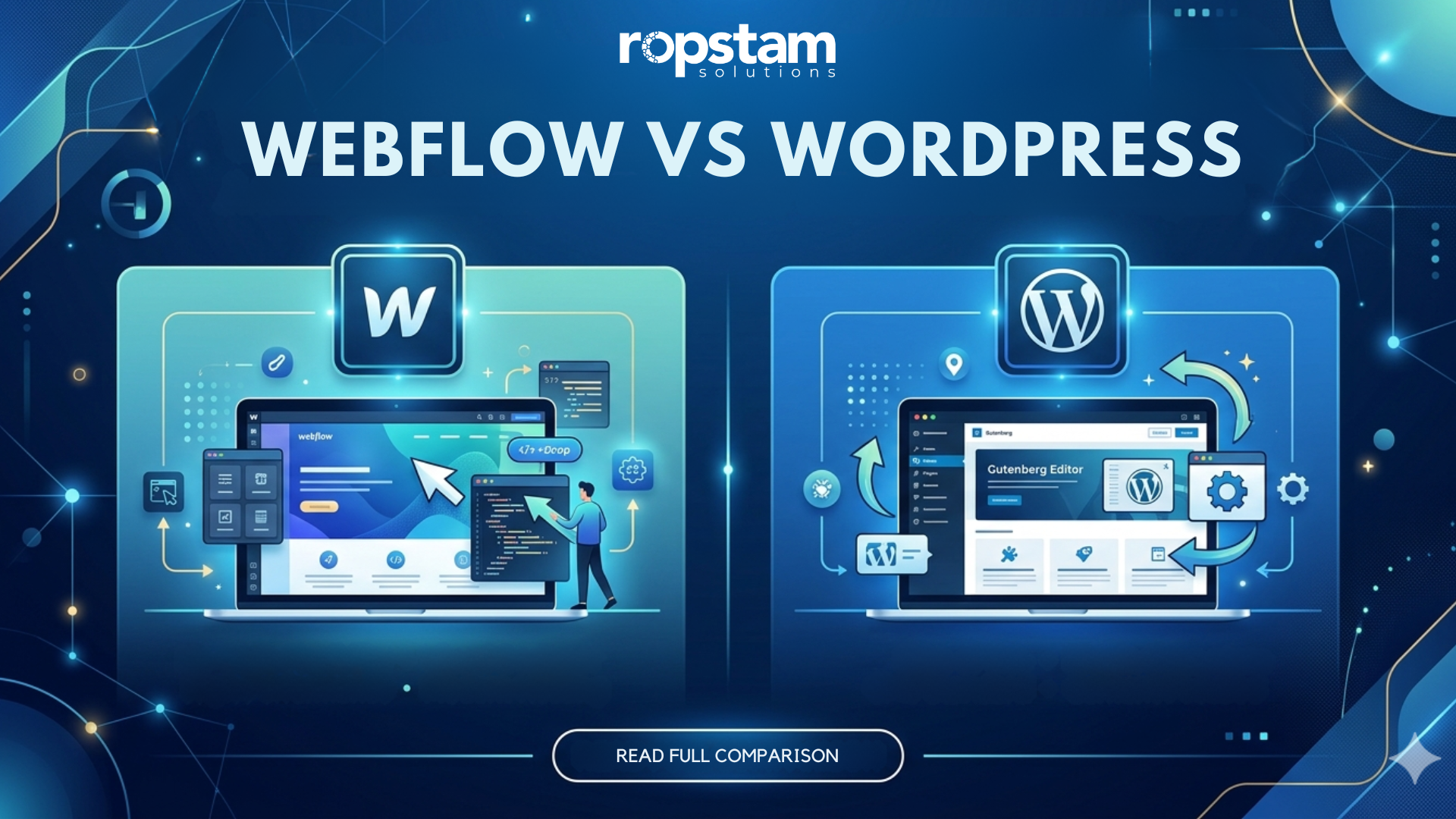
Headless WordPress breaks that connection. Your content lives in WordPress. Your front end can be built with any modern tool like React, Next.js, or Vue.js.
This gives your business a competitive edge. You can move faster. You can experiment more. And you can give users a better experience.
What is Headless WordPress? (Definition Block)
📌 What is Headless WordPress Every Beginner Should Know
Headless WordPress is a setup where WordPress is used only as a Content Management System (CMS), also called the “back end.” The “front end” (what users see) is built separately using a different technology. WordPress delivers content through its REST API or GraphQL, and the front end fetches and displays it. This is why it is called “headless”: the head (front end) is removed from the body (back end).
In simple words:
- WordPress stores your content
- A separate system shows it to users
- The two talk to each other using an API
This is what makes Headless CMS WordPress so powerful. You are not limited to WordPress themes. You can use any design, any technology, and any platform.
Headless WordPress vs Traditional WordPress
This is one of the most common questions beginners ask. Let’s break it down clearly.
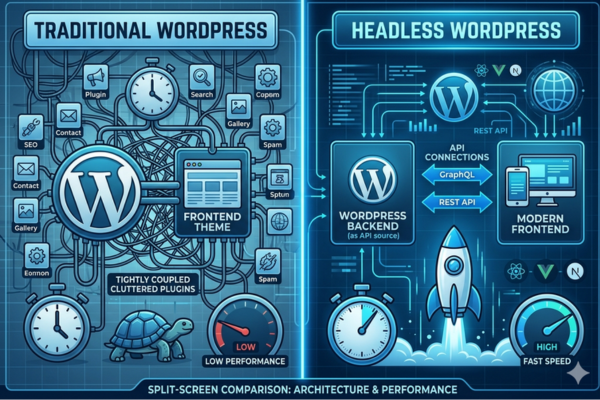
Traditional WordPress
- Front end and back end are connected
- Uses WordPress themes to display content
- Easier to set up for beginners
- Limited in flexibility for complex projects
- Plugins handle everything: design, speed, and features
Headless WordPress
- Front end and back end are separate
- Uses APIs to send content to any platform
- Requires more technical setup
- Offers full design freedom
- Works perfectly with mobile apps, web apps, and more
Here is a quick comparison table:
| Feature | Traditional WordPress | Headless WordPress |
| Front-end technology | WordPress themes | React, Next.js, Vue.js, etc. |
| Content delivery | On the same server | Via REST API or GraphQL |
| Design flexibility | Limited to theme options | Fully custom |
| Performance | Moderate | High (very fast) |
| Scalability | Limited | Highly scalable |
| Best for | Simple blogs, small sites | Large apps, eCommerce, enterprise |
| Developer freedom | Low to moderate | Very high |
As you can see, Headless WordPress vs Traditional WordPress comes down to one thing: how big and flexible you want your project to be.
How Does Headless WordPress Architecture Work?
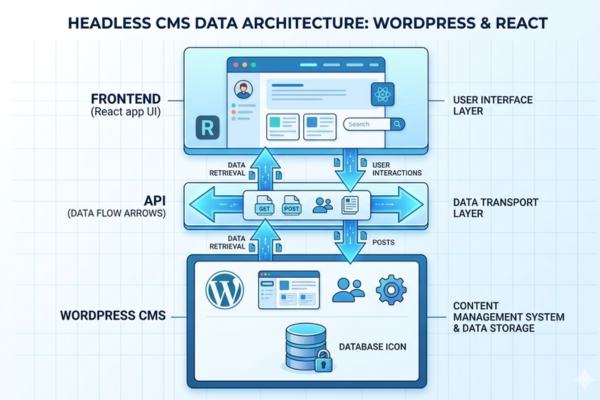
Understanding the Headless WordPress architecture is easier than it sounds. Think of it in three layers.
Layer 1: The Content Layer (WordPress CMS)
- You log in to WordPress
- You write, edit, and manage content
- WordPress stores everything in its database
Layer 2: The API Layer
- WordPress has a built-in REST API
- This API sends your content as data
- The WordPress REST API guide for beginners explains this as a “bridge” between your content and your front end
Layer 3: The Front End Layer
- A separate application like a React app receives the data
- It displays the content beautifully to users
- This is where using WordPress with React (headless) becomes popular
Here is how the data flows:
- User visits your website
- The front-end app sends a request to the WordPress API
- WordPress sends back the content as data
- The front-end app turns that data into a beautiful page
- User sees the final result, fast and clean
This WordPress decoupled CMS approach is being used by brands like TechCrunch, Spotify, and many more.
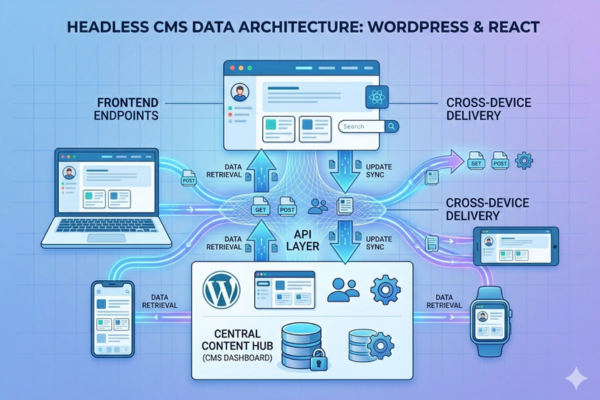
Headless WordPress architecture with CMS, API, and frontend layers
- Data flow from WordPress backend to frontend via API
- Three-layer headless CMS system diagram
- How headless WordPress delivers content through APIs
Key Benefits of Headless WordPress for Business Growth
This section covers the real business value. Here is what Headless WordPress can do for your company.
🚀 Performance and Speed
- Pages load significantly faster
- Google rewards fast websites with higher rankings
- Users are more likely to stay on fast websites
- Bounce rates drop when speed improves
🎨 Full Design Freedom
- You are not stuck with WordPress themes
- Designers can build anything from scratch
- Your website looks unique, not like every other WordPress site
📱 Multi-Platform Content Delivery
- One WordPress back end can power:
- Your website
- Your mobile app
- A digital kiosk
- A smartwatch app
- A voice assistant
🔒 Better Security
- Your WordPress dashboard is hidden from the public
- Hackers cannot target WordPress directly through the front end
- Fewer attack surfaces mean better protection
📈 Scalability
- As your business grows, your website grows too
- No need to rebuild from scratch
- Just add more capacity to your front end
🔧 Developer Freedom
- Your development team can use the latest technologies
- No need to be limited by WordPress plugins or themes
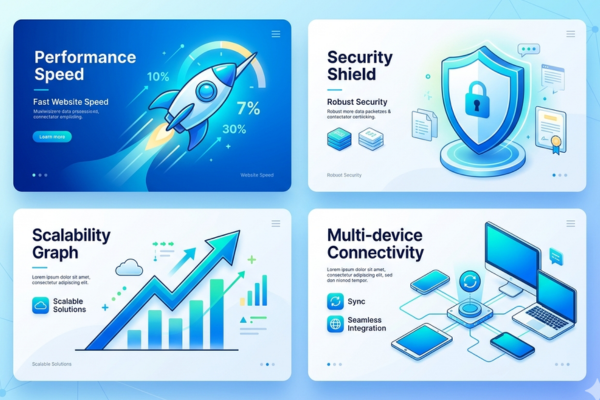
We worked with a business that needed a fully scalable digital solution. See how we delivered results in this project. The client needed performance, speed, and flexibility all things Headless WordPress handles beautifully.
Feature and Benefit Table for Headless WordPress
Here is a clear breakdown of features and their direct business benefits:
| Feature | Business Benefit |
| Headless architecture | More design and development freedom |
| WordPress REST API | Content delivered to any platform or device |
| Decoupled front end | Faster page load times and better UX |
| React or Next.js front end | Modern, app-like user experience |
| Separated security layers | Reduced risk of hacking and data breaches |
| SEO-friendly structure | Better Google rankings and organic traffic |
| Mobile responsive design | Higher engagement on smartphones and tablets |
| Plugin support (back end only) | Powerful content tools without slowing the front end |
| Custom integrations | Connect with any third-party tool or software |
| Scalable hosting setup | Handle traffic spikes without downtime |
These benefits directly support business growth. Better speed means more sales. Better security means less risk. Better scalability means you can grow without limits.
Headless WordPress Development Cost: What to Expect
One of the biggest questions business owners ask is: How much does it cost?
Here is an honest breakdown:
| WordPress Development Type | Estimated Cost |
| Basic Headless WordPress Setup | $5,000 – $15,000 |
| Custom Headless WordPress Website | $15,000 – $40,000 |
| Headless WordPress + Mobile App | $30,000 – $70,000 |
| Enterprise Headless CMS Solution | $70,000 – $150,000+ |
| Headless WordPress eCommerce Build | $20,000 – $60,000 |
Factors that affect cost:
- Number of content types and pages
- Complexity of the front-end design
- Number of platforms (web, mobile, etc.)
- Third-party integrations needed
- Ongoing maintenance and support
We helped a client in the beverage industry build a custom digital solution. Explore this business transformation case study to see what a full build looks like in action. It highlights how smart development choices can deliver real ROI.
Headless WordPress Tutorial, How to Get Started (Step-by-Step)
This Headless WordPress tutorial is for business owners. You do not need to write code. But you should understand the process.
Step 1: Set Up WordPress as Your CMS
- Install WordPress on a server (or use a managed host)
- Set up your content structure: pages, posts, custom types
- Install only the plugins you need for content management
Step 2: Enable the WordPress REST API
- The REST API comes built into WordPress
- No plugin is needed
- Your developer will use it to pull content into the front end
Step 3: Choose Your Front End Technology
- React — great for interactive websites
- Next.js — great for SEO-friendly headless sites
- Vue.js — another popular option
- Gatsby — great for static websites
Step 4: Connect the Front End to WordPress
- Your developer writes code to call the WordPress API
- The front end fetches and displays your content
- You can preview everything before going live
Step 5: Launch and Test
- Test on all devices: mobile, tablet, desktop
- Check page speed using Google PageSpeed Insights
- Make sure all content is displaying correctly
Step 6: Maintain and Scale
- Update WordPress regularly
- Monitor API performance
- Add new content types as your business grows
This is the basic Headless WordPress process for beginners. A good development partner makes this simple.
10 Essential Headless WordPress Security Tips Every Business Owner Should Know
Security is critical. Here are 10 practical tips to keep your Headless WordPress site safe.
📌 Headless WordPress Security: What Every Business Owner Should Know
Headless WordPress security refers to the practices used to protect both your WordPress back end (CMS) and your separate front-end application from unauthorized access, data breaches, and cyberattacks.
Here are 10 tips to keep your site secure:
- Hide your WordPress login URL — Change /wp-admin to something unique
- Use strong passwords — Always enforce strong password policies for all users
- Enable two-factor authentication (2FA) — Add an extra layer of protection to logins
- Use HTTPS everywhere — SSL certificates are a must for both front-end and back-end
- Restrict API access — Only allow trusted apps to talk to your WordPress REST API
- Keep WordPress and plugins updated — Outdated software is the #1 security risk
- Use a Web Application Firewall (WAF) — Tools like Cloudflare protect your API endpoints
- Limit login attempts — Block brute force attacks automatically
- Monitor your site regularly — Use security plugins like Wordfence on the back end
- Back up your site daily — Always have a recent backup in case of an emergency
Security is not optional. It is a business requirement. Protecting your WordPress back end protects your entire digital operation.
For more insights on how AI and modern technology are shaping security and content delivery, OpenAI’s research blog is a valuable resource for business leaders staying ahead of the curve.
Business Value of Headless WordPress — Why It Drives Growth
Here is a focused look at what Headless WordPress does for your business bottom line:
- Improved website performance — Faster sites convert more visitors into customers
- Higher search engine rankings — Speed and structure are key Google ranking factors
- Better user experience — Happy users stay longer and buy more
- Lower long-term development costs — Build once, deliver everywhere
- Reduced security risk — Fewer attack surfaces mean fewer breaches
- Faster content updates — Marketing teams can update without developer help
- Multi-channel reach — One CMS powers your website, app, and more
- Competitive advantage — Modern tech stack means your business looks and feels ahead of competitors
- Easier third-party integrations — Connect CRM, analytics, eCommerce tools easily
- Future-proof technology — Headless is where the web is heading
We helped a university client modernize their digital presence. Review this eCommerce success story to see how smart architecture decisions lead to better outcomes for real businesses.
For more on the future of decoupled content systems, Arena.io’s platform insights offer useful reading for businesses exploring API-first content strategies.
Start Your WordPress Development Project
Are you ready to take your website to the next level?
At Ropstam, we specialize in building scalable Headless WordPress solutions, custom business websites, and full-stack digital products. Whether you are starting from scratch or upgrading an existing site, our team will guide you every step of the way.
We offer:
- Custom Headless WordPress development
- WordPress REST API integration
- React and Next.js front-end development
- eCommerce headless builds
- Mobile app + WordPress CMS integration
- Security audits and performance optimization
We have helped businesses across industries, from startups to enterprises, build digital products that perform, scale, and grow.
If you want to start your project, contact us here and let’s build something great together.
Conclusion
Headless WordPress is not just a trend. It is a smarter way to build websites and digital products for the modern world. It gives your business speed, flexibility, security, and the freedom to grow without limits.
Here is what you have learned in this guide:
- What Headless WordPress is and how it works
- How it compares to traditional WordPress
- The real business benefits it offers
- How the architecture connects front end and back end
- Security tips to protect your business
- How much it costs and how to get started
Whether you are a startup, an eCommerce brand, or an enterprise, Headless WordPress can power your next chapter of growth.
If you want to start your project, contact us here. Our team at Ropstam is ready to help you build a fast, scalable, and secure digital solution tailored to your business needs.
Frequently Asked Questions (FAQs)
1. Is Headless WordPress good for small businesses?
Yes. While it is more commonly used for large-scale projects, small businesses can also benefit, especially if they need a mobile app, a fast website, or plan to grow quickly. Start simple and scale up.
2. Do I need coding skills to use Headless WordPress?
You do not need to code to manage content. Content editors work inside the normal WordPress dashboard. However, setting up the headless system does require a developer.
3. Is Headless WordPress more expensive than traditional WordPress?
The initial cost is higher. But long-term, it saves money because you can deliver content to multiple platforms without rebuilding. It also reduces technical debt over time.
4. How does Headless WordPress affect SEO?
When set up correctly, Headless WordPress is excellent for SEO. Using Next.js or similar frameworks gives you full control over page speed, structure, and metadata, all of which improve Google rankings.
5. What is the best front-end technology to use with Headless WordPress?
Next.js is the most popular choice for SEO-heavy websites. React is great for interactive web apps. The right choice depends on your business goals and your development team’s expertise.