In today’s fast-moving digital world, businesses no longer struggle with a lack of data. Instead, the real challenge is understanding it. Reports spread across tools, delayed updates, and complex spreadsheets often slow down decision-making. This is where scalable business dashboards play a critical role.
A well-designed dashboard brings all key information into one clear view. It helps leaders track performance, teams monitor progress, and operations respond quickly to change. Whether it’s sales data, user activity, or system performance, dashboards turn raw numbers into meaningful insights that people can actually use.
For modern organizations, dashboards are no longer a “nice-to-have” feature. They are essential tools for daily operations. For software development agencies, building dashboards means more than showing charts—it means designing systems that handle real-time data, support multiple users, and grow with the business.
This blog explores how scalable dashboards support real-time decision-making, the features that make them effective, and how thoughtful development can turn complex data into a powerful business asset.
Why Dashboards Matter for Modern Businesses
Dashboards give businesses instant visibility into what is happening across their systems. Instead of waiting for weekly reports, teams can act on live data.
Key benefits include:
- Faster decisions
- Improved transparency
- Better team alignment
- Reduced manual reporting
When dashboards are well-designed, they simplify complex workflows and help businesses stay proactive rather than reactive.
Core Elements of Scalable Business Dashboards
Clear Data Structure
Data must be organized in a logical way. Users should quickly understand what they are seeing without needing training.
Role-Based Access
Different users need different views. Executives, managers, and operators should only see what matters to them.
Real-Time Updates
Dashboards must refresh data automatically so users always see the latest information.
Visual Simplicity
Charts, tables, and indicators should be easy to read. Too much detail can overwhelm users.
Performance at Scale
As data and users grow, dashboards should remain fast and responsive.
Real-Time Data and Decision Making
Real-time data changes how businesses operate. Instead of reacting after problems occur, teams can spot issues early and act immediately.
For example:
- Operations teams can track delays as they happen
- Sales teams can monitor live performance
- Admins can identify system issues instantly
This level of visibility improves confidence and reduces risk across the organization.
Designing Dashboards for Multiple Users
Modern dashboards often serve many users at once. Each user may have different goals, responsibilities, and access levels.
To support this:
- Permissions must be clearly defined
- Data views should adapt to user roles
- Navigation should remain simple for all users
A scalable design ensures that adding new users or features does not disrupt the system.
Security and Data Accuracy
Dashboards often display sensitive business information. Protecting this data is essential.
Best practices include:
- Secure user authentication
- Encrypted data handling
- Controlled access to reports
- Activity tracking for accountability
Trust in data accuracy and security increases adoption and long-term use.
Scalability: Planning for Growth
A dashboard may start small, but business needs grow quickly. Scalability ensures the system can handle:
- More users
- Larger datasets
- New features and reports
By designing for growth from the start, businesses avoid costly rebuilds later.
Case Reference: SKUP Dashboard Platform
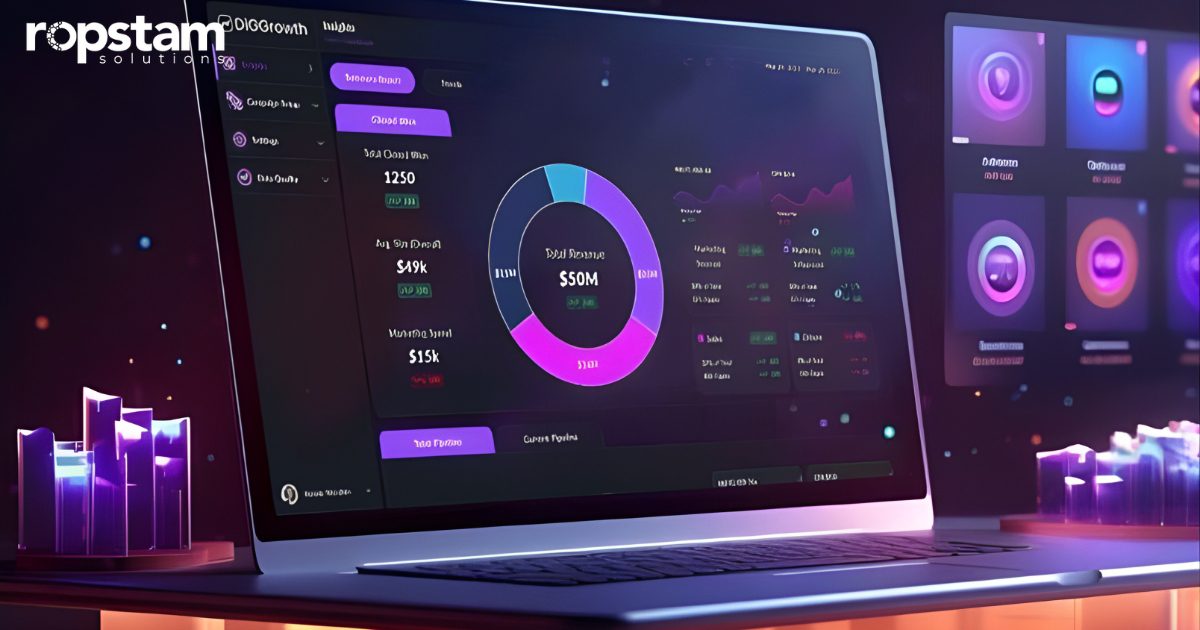
A practical example of this approach is the SKUP Dashboard, developed by Ropstam Solutions. The platform was designed to centralize data, provide clear visual insights, and support multiple user roles through a secure dashboard interface.
The solution focused on performance, clarity, and scalability—allowing users to monitor data in real time while maintaining system stability as usage increased. This project highlights how scalable business dashboards can transform how teams access and act on data.
Common Challenges in Dashboard Development
Managing Data Volume
Large datasets can slow performance if not handled properly.
Keeping Interfaces Simple
Too many features can confuse users.
Ensuring Real-Time Accuracy
Delayed updates reduce trust in the system.
Supporting Future Needs
Dashboards must adapt to changing business goals.
A skilled development team addresses these challenges through planning, testing, and continuous improvement.
Why Businesses Invest in Custom Dashboards
Off-the-shelf tools often fail to meet specific business needs. Custom dashboards provide:
- Tailored data views
- Better system integration
- Improved user experience
- Long-term flexibility
For many organizations, this investment leads to better performance and smarter decisions.
Conclusion: Dashboards as Strategic Business Tools
Dashboards have evolved from simple reporting tools into strategic business platforms. They help organizations move faster, see clearer, and act with confidence. By bringing real-time data into a single view, dashboards reduce guesswork and support informed decision-making at every level.
For businesses, the value lies in clarity and speed. Teams no longer need to search for answers across multiple systems. Everything they need is available in one place, updated in real time. This improves productivity, accountability, and collaboration.
For software development agencies, building dashboards is about balance. The system must be powerful but simple, flexible but secure, and scalable without losing performance. When done right, dashboards become long-term assets that grow alongside the business.
Projects like the SKUP Dashboard demonstrate how thoughtful design and strong development practices can turn complex data into clear insights. As businesses continue to rely on data-driven strategies, dashboards will remain central to decision-making.
In the future, dashboards will only become smarter—offering deeper insights, better personalization, and even predictive views. Organizations that invest in scalable dashboard solutions today will be better prepared to lead tomorrow.
FAQs
- What is a scalable business dashboard?
It is a dashboard that can grow with users, data, and features without losing performance. - Why are dashboards important for decision-making?
They provide real-time insights that help teams act quickly and accurately. - Can dashboards support multiple user roles?
Yes, role-based access ensures that each user sees only relevant data. - Are custom dashboards better than ready-made tools?
Custom dashboards fit business needs more precisely and scale better. - How do scalable business dashboards improve efficiency?
They reduce manual reporting and centralize all key data in one place.