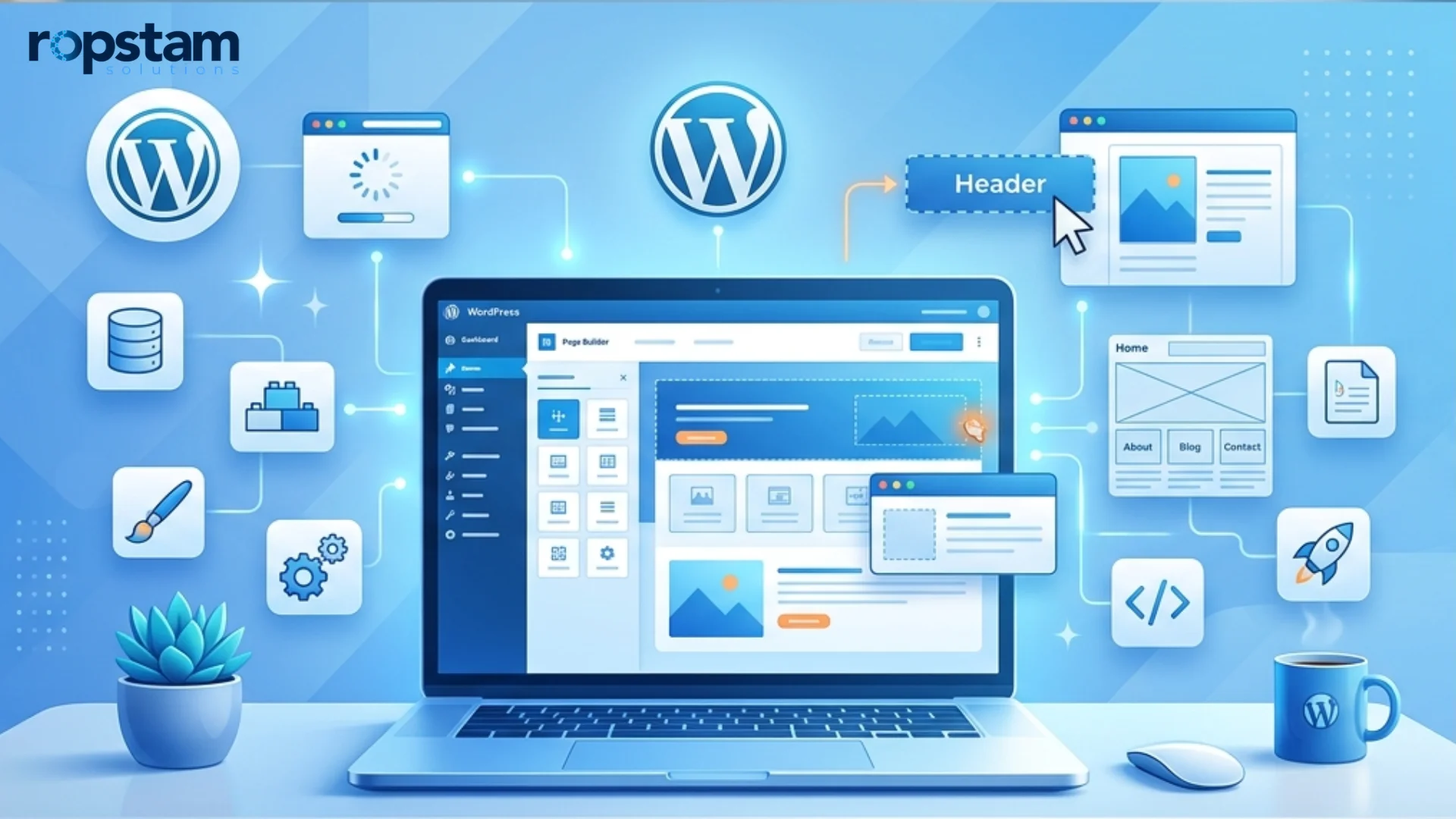
If you want to build a WordPress website for your business, you are making a smart and future-ready decision. Today, your website is not just an online brochure. It is your digital office. It works for you 24/7. It brings leads. It answers customer questions. It builds trust before someone even talks to your sales team.
WordPress powers more than 40% of all websites on the internet. That means millions of businesses trust it. It is flexible, secure, scalable, and cost-effective. Whether you run a startup, a growing company, or an enterprise brand, WordPress can support your goals. In this detailed guide, you will learn exactly how to build a WordPress website in simple steps.
If you want expert support for your business website, visit this link to start your project.
This detailed word press website tutorial is written in very easy words. It is perfect for business owners who want clarity, not technical confusion.
Why WordPress Matters for Modern Businesses
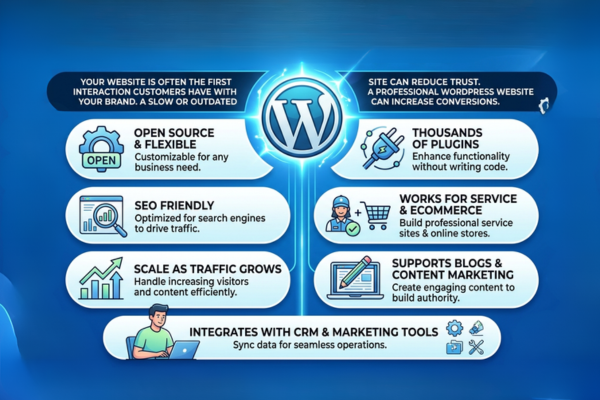
Your website is often the first interaction customers have with your brand. A slow or outdated site can reduce trust. A professional WordPress website can increase conversions.
Businesses choose WordPress because:
- It is open source and flexible
- It supports thousands of plugins
- It is SEO friendly
- It works for service businesses and eCommerce
- It can scale as traffic grows
- It supports blogs and content marketing
- It integrates with CRM and marketing tools
You can also build a website without coding WordPress, which reduces development time and cost.
For example, in this real life example (review this eCommerce success story), we helped a growing brand improve website speed and shopping experience. After redesign and optimization, the client saw better engagement and improved conversion rates. This shows how the right WordPress strategy supports real business growth.
What Is WordPress Website Development for Business?
WordPress website development means building a complete digital platform using WordPress.
It includes:
- Planning the structure
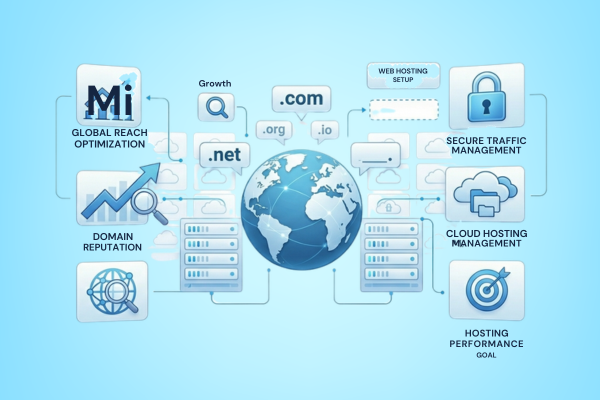
- Selecting hosting
- Installing WordPress
- Choosing themes
- Adding plugins
- Custom design
- SEO setup
- Testing and launch
When businesses build a WordPress website, they focus on user experience, branding, performance, and growth.
WordPress.com vs WordPress.org
| Platform | Best For | Control Level |
| WordPress.com | Hobby or personal blogs | Limited control |
| WordPress.org | Business and eCommerce sites | Full control |
If you want full ownership and flexibility, WordPress.org is the best option.
Step 1: Choose a Domain Name and Hosting
The first step to build a WordPress website is choosing a domain name and hosting provider.
How to Choose a Domain Name
- Keep it short
- Avoid difficult spelling
- Use your brand name
- Avoid numbers and symbols
- Choose .com if possible
Your domain should be easy to remember.
How to Choose Hosting
Good hosting improves speed and security.
Look for hosting with:
- Fast servers
- Daily backups
- SSL certificate
- One-click WordPress installation
- 24/7 support
This is the foundation of your create WordPress site step by step journey.

Step 2: Complete WordPress Installation Steps
After buying hosting, you need to install WordPress.
Most hosting companies offer simple wordpress installation steps:
- Login to hosting account
- Open control panel
- Click “Install WordPress”
- Select domain
- Add admin email
- Set username and password
Within minutes, your website is ready.
In this business transformation case study (explore this business transformation case study), we developed a scalable digital solution that handled complex workflows. Strong technical setup at the start helped ensure long-term growth and system stability.
Step 3: Select the Best WordPress Theme
Your theme controls how your website looks and feels.
Best WordPress Themes for Beginners
- Astra
- OceanWP
- GeneratePress
- Kadence
- Neve
These themes are:
- Mobile responsive
- SEO optimized
- Lightweight
- Easy to customize
Choosing the best WordPress themes for beginners makes it easier to manage your website without stress.
When you build a WordPress website, always choose a theme that:
- Matches your brand
- Loads fast
- Is updated regularly
- Has good reviews
Step 4: Customize Your Website Design
Design builds trust. Visitors decide in seconds if they want to stay.
What Are WordPress Website Design Tips Every Beginner Should Know?
Definition: WordPress website design tips are simple design rules that improve user experience, speed, clarity, and conversion rates.
10 Essential WordPress Website Design Tips Every Business Owner Should Know
- Use simple layouts
- Keep navigation clear
- Add clear call-to-action buttons
- Keep colors consistent
- Use high-quality images
- Make it mobile friendly
- Keep page speed fast
- Use readable fonts
- Add testimonials
- Use whitespace for clarity
These wordpress website design tips help you build a WordPress website that converts visitors into customers.
You can learn from this real client example (learn from this real client example). In this project, we improved design flow, simplified navigation, and enhanced product visibility. The result was better user engagement and measurable growth.
Step 5: Install Important Plugins
Plugins add features to your website.
Essential plugins include:
- Yoast SEO for search optimization
- Rank Math for advanced SEO
- WPForms for contact forms
- WooCommerce for online store
- Elementor for page building
- Wordfence for security
- WP Rocket for speed
Plugins help you build a website without coding WordPress.
But avoid too many plugins. Too many plugins can slow down your website.
Step 6: Create Core Business Pages
Every business website must have clear structure.
Important pages:
- Home
- About Us
- Services
- Case Studies
- Blog
- Contact
When learning how to make a website with WordPress, remember:
- Keep content simple
- Focus on benefits
- Add strong CTAs
- Add contact forms
Each page should guide visitors toward action.
Step 7: Optimize for SEO and Performance
SEO helps customers find you on Google.
SEO basics:
- Use your main keyword naturally
- Write strong meta descriptions
- Use headings correctly
- Add alt text to images
- Improve loading speed
- Create internal links
WordPress works very well for SEO.
It also integrates with tools like OpenAI for smart chatbots and automated content features. Businesses also explore AI automation platforms like arena.ai to improve digital engagement.
Key Features for Business WordPress Websites
| Feature | Benefit |
| SEO-friendly structure | Better Google ranking |
| Mobile responsive design | Improved mobile experience |
| Plugin support | Add new features easily |
| Custom integrations | Connect CRM and ERP systems |
| Scalable hosting setup | Handles high traffic |
When you build a WordPress website, these features ensure long-term success.
Business Value of WordPress
WordPress supports business growth in many ways:
- Lower development cost
- Faster time to market
- Easy content updates
- Strong SEO control
- Secure payment integration
- Flexible design options
- Scalable for growth
- Easy third-party integration
- Multi-language support
When businesses build a WordPress website, they gain control over digital marketing, branding, and customer engagement.
WordPress Development Cost for Businesses
Here is a cost overview:
| WordPress Development Type | Estimated Cost |
| Basic Business Website | $3,000 – $8,000 |
| Custom WordPress Website | $8,000 – $25,000 |
| WooCommerce Store | $10,000 – $40,000 |
| Enterprise WordPress Solution | $40,000+ |
Factors affecting cost:
- Custom design
- Number of pages
- Advanced features
- API integrations
- Maintenance support
Professional support ensures you build a WordPress website that delivers strong ROI.
How to Launch a WordPress Site
Before launch:
- Test forms
- Check links
- Test mobile view
- Optimize speed
- Backup site
What Is “How to Launch a WordPress Site”?
Definition: It is the final testing and optimization process before making your website live for public users.
After launch:
- Submit sitemap to Google
- Connect Google Analytics
- Start blog content
- Promote on social media
- Run paid ads if needed
This completes your wordpress setup guide.
Common Mistakes to Avoid
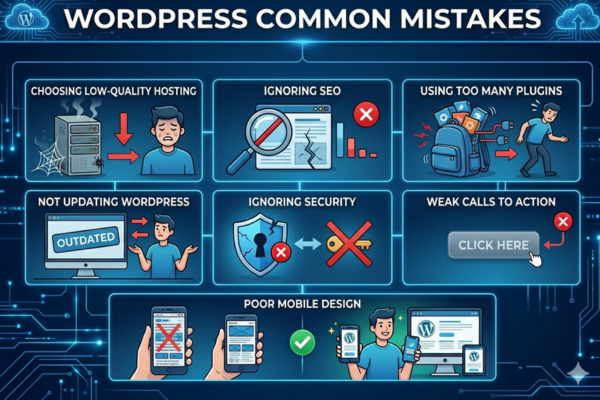
When you build a WordPress website, avoid these mistakes:
- Choosing low-quality hosting
- Ignoring SEO
- Using too many plugins
- Not updating WordPress
- Ignoring security
- Weak calls to action
- Poor mobile design
Following this wordpress for beginners guide will help you reduce risks and build a stronger online presence.
Long-Term Maintenance and Growth Strategy
After you build a WordPress website, your work does not stop.
Ongoing maintenance includes:
- Updating plugins
- Updating themes
- Monitoring security
- Improving content
- Checking speed
- Adding blog posts
- Tracking analytics
Growth strategy includes:
- SEO content marketing
- Landing pages for ads
- Email marketing integration
- Conversion optimization
- A/B testing
A website is not a one-time project. It is a long-term business asset.
Start Your WordPress Development Project
A well-planned WordPress website can transform your business. It can increase leads, improve brand trust, and drive revenue growth.
We build scalable WordPress solutions for startups, mid-size companies, and enterprises. From simple business sites to complex eCommerce platforms, we deliver performance-focused websites.
If you want to start your project, contact us here. Let us help you build a powerful digital presence.
Conclusion
To build a WordPress website, you need a clear plan and the right execution. Choose your domain and hosting carefully. Complete WordPress installation steps properly. Select the best theme. Follow strong wordpress website design tips. Add essential plugins. Create clear business pages. Optimize for SEO. Test and launch with confidence.
WordPress gives businesses flexibility, scalability, and control. It is one of the best platforms available today for companies that want growth.
If you want expert help to build a WordPress website that drives real results, visit this page and start your project today.